WhatsApp Do Not Disturb
Johnu Marattilproduct design1 min
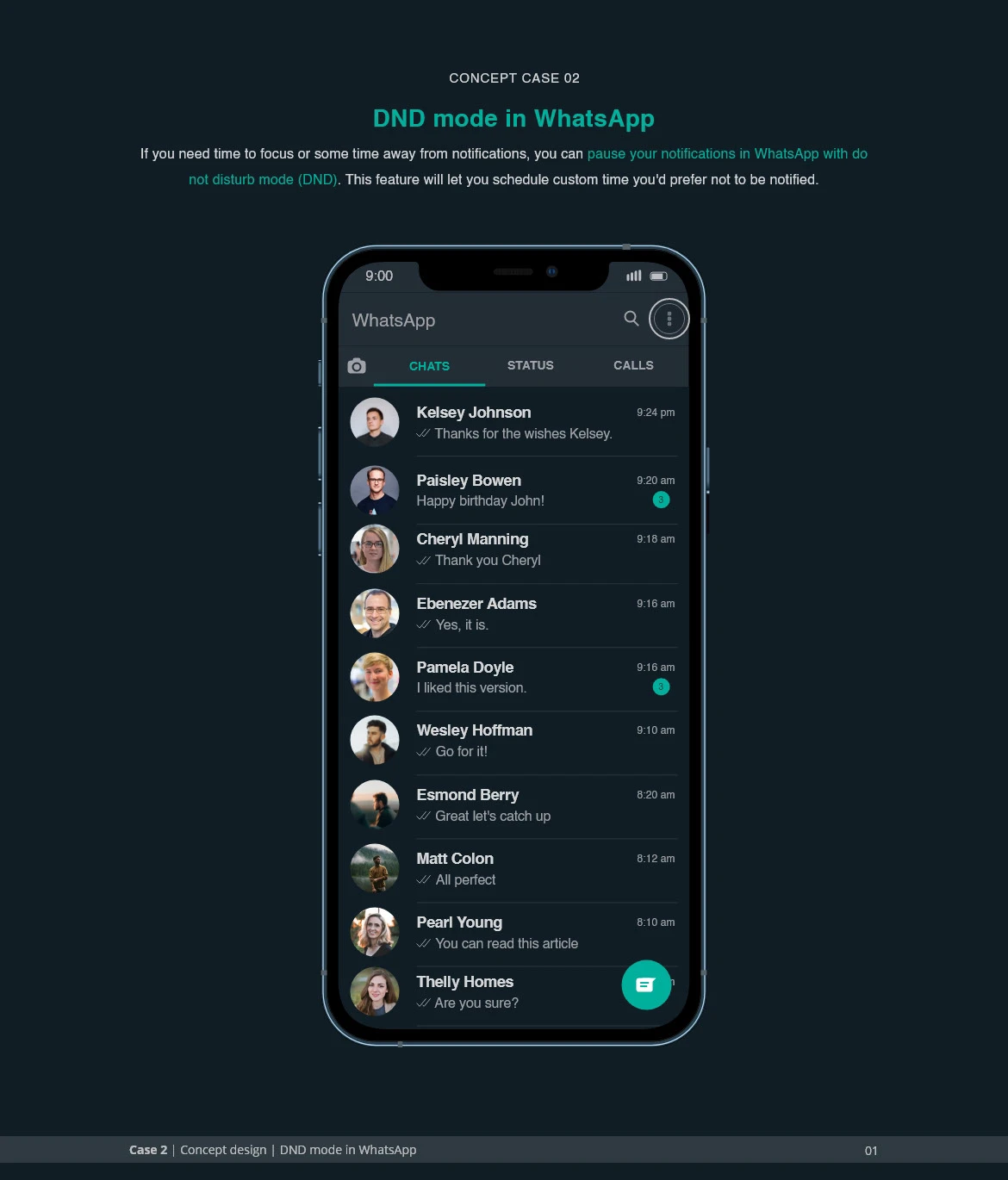
I often want to go quiet on WhatsApp without missing the message that matters. Silencing the phone blocks everything. What I wanted was for only the important notifications to get through.
This is a UI concept, not a shipped feature.
The problem
You are in a meeting, trying to focus, or just want an hour off. You don’t want to miss something urgent from family or work. Muting the phone is all or nothing. The concept makes it selective.
What the concept does
- Strict or non-strict. Strict DND blocks everything until you turn it off. Non-strict lets the sender decide whether a message is worth pushing through.
- A set length. 30 minutes, 1 hour, 2 hours, or until tomorrow.
Where it lives
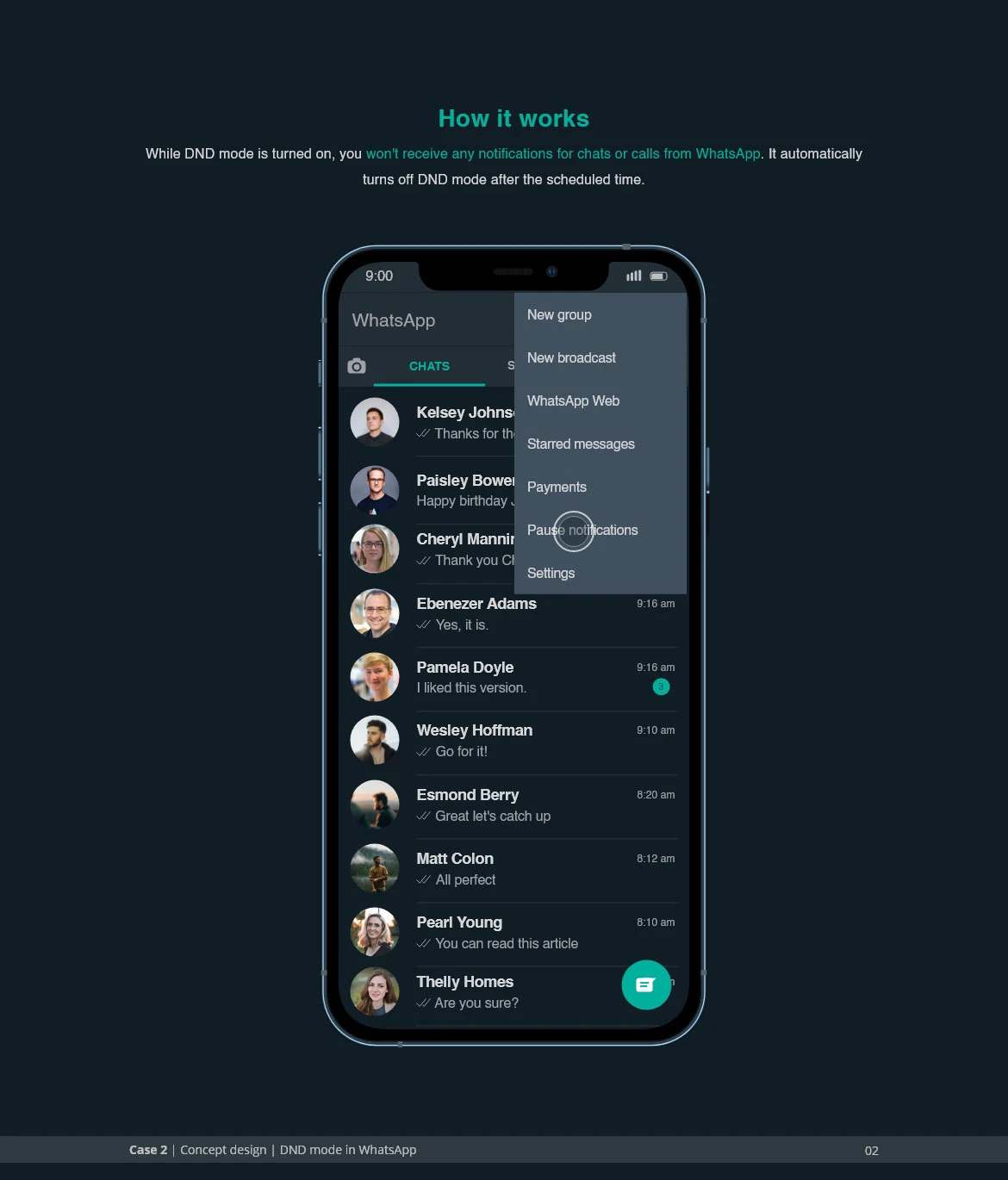
DND is in the three-dot menu at the top right of the chat list.
Setting it up
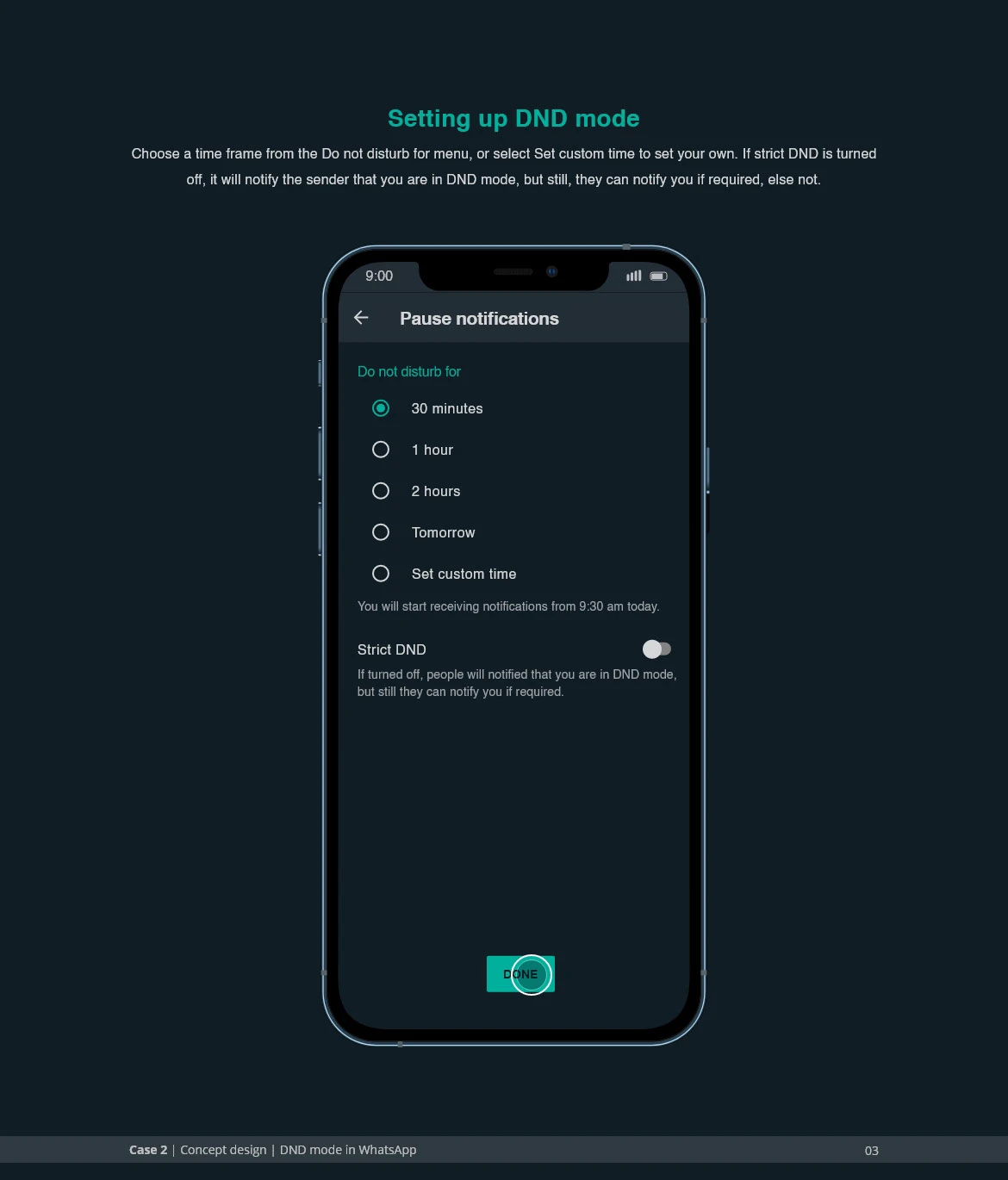
Pick how long, then whether it’s strict. Leave strict off and the sender gets the choice to notify you.
While it’s on
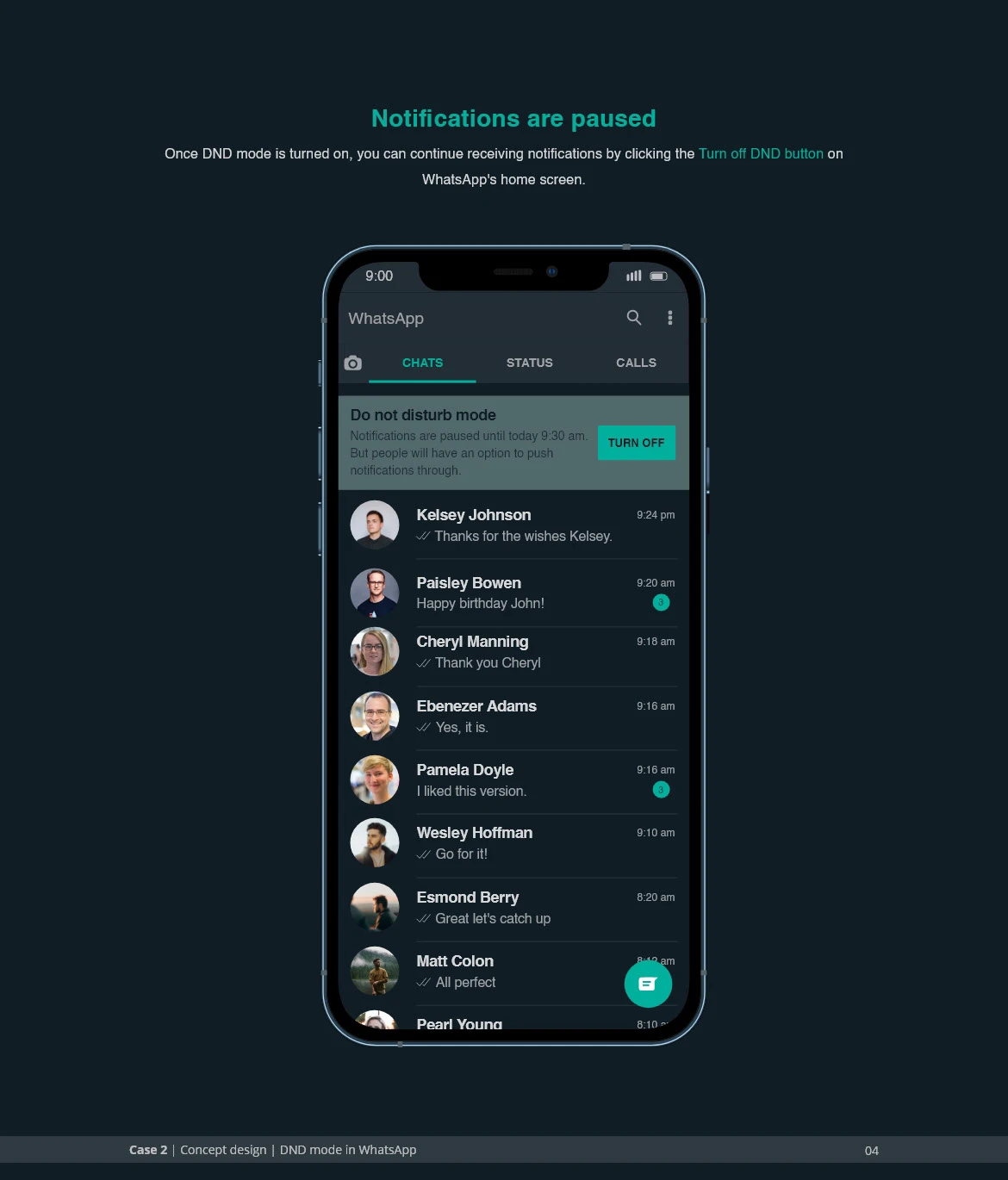
A banner says you’re in DND, with one tap to leave it.
What the sender sees
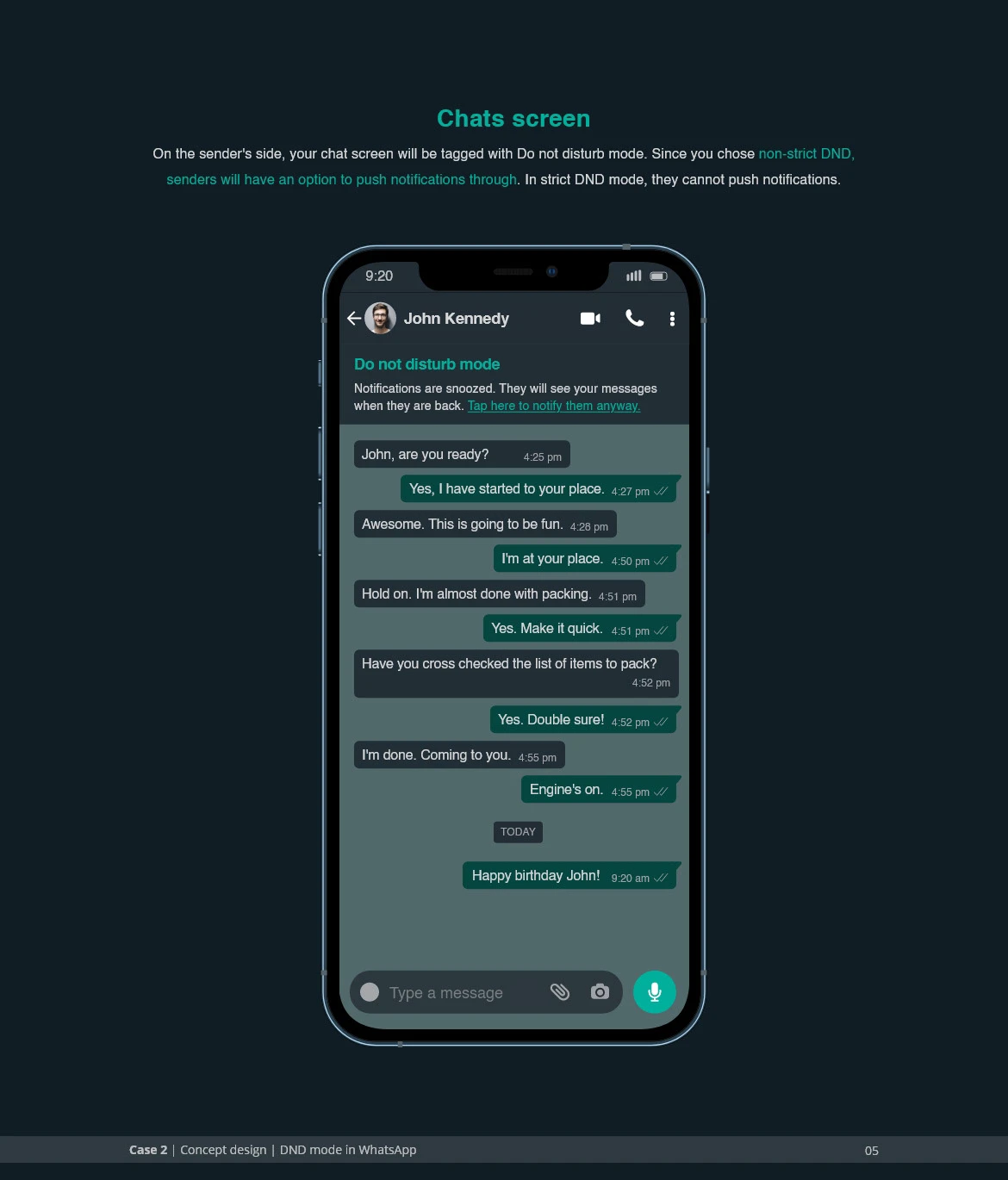
The sender sees that you’re in DND. In non-strict mode they get a push-through button, for the messages that are urgent but not an emergency.
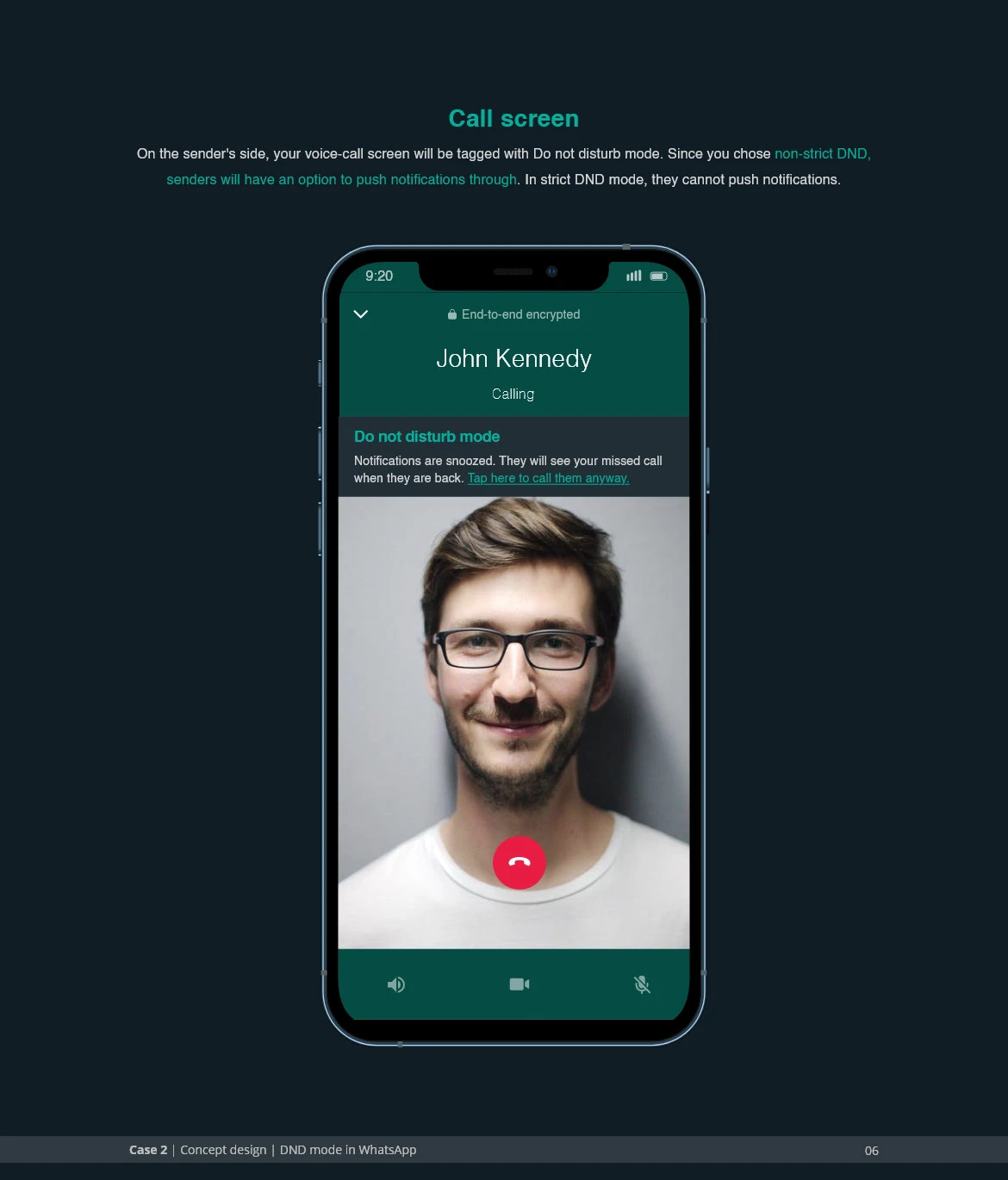
Calls work the same way: in non-strict mode the sender can still call through. In strict mode nothing gets through.
Filed under product design